Steps to Set Your Password:
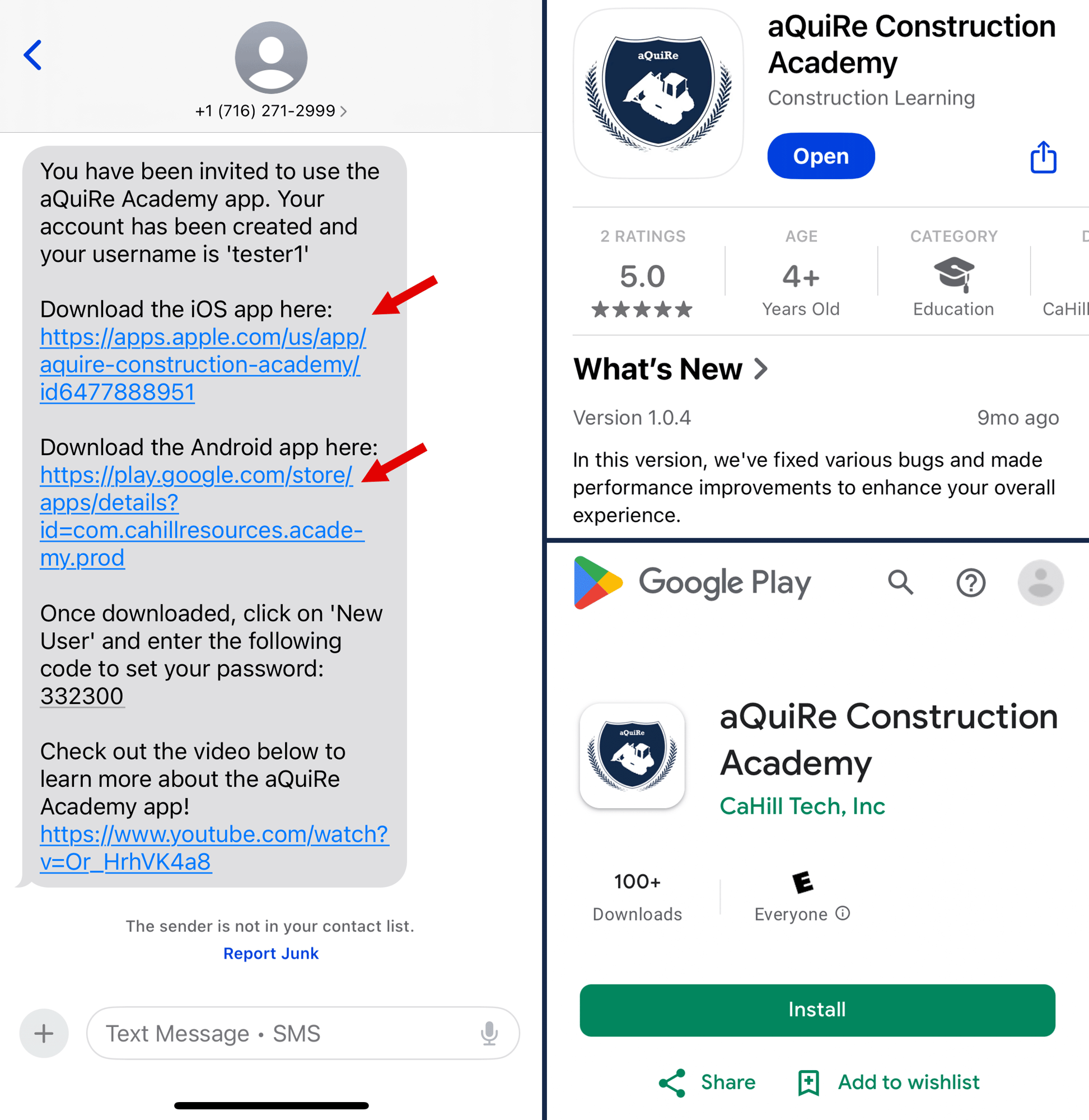
1. Open the aQuiRe Construction Academy text message invitation
-
-
When your account gets created, you will receive an automatic text message or email invitation.
- Follow the instructions in either message to download the aQuiRe Construction Academy app.
-
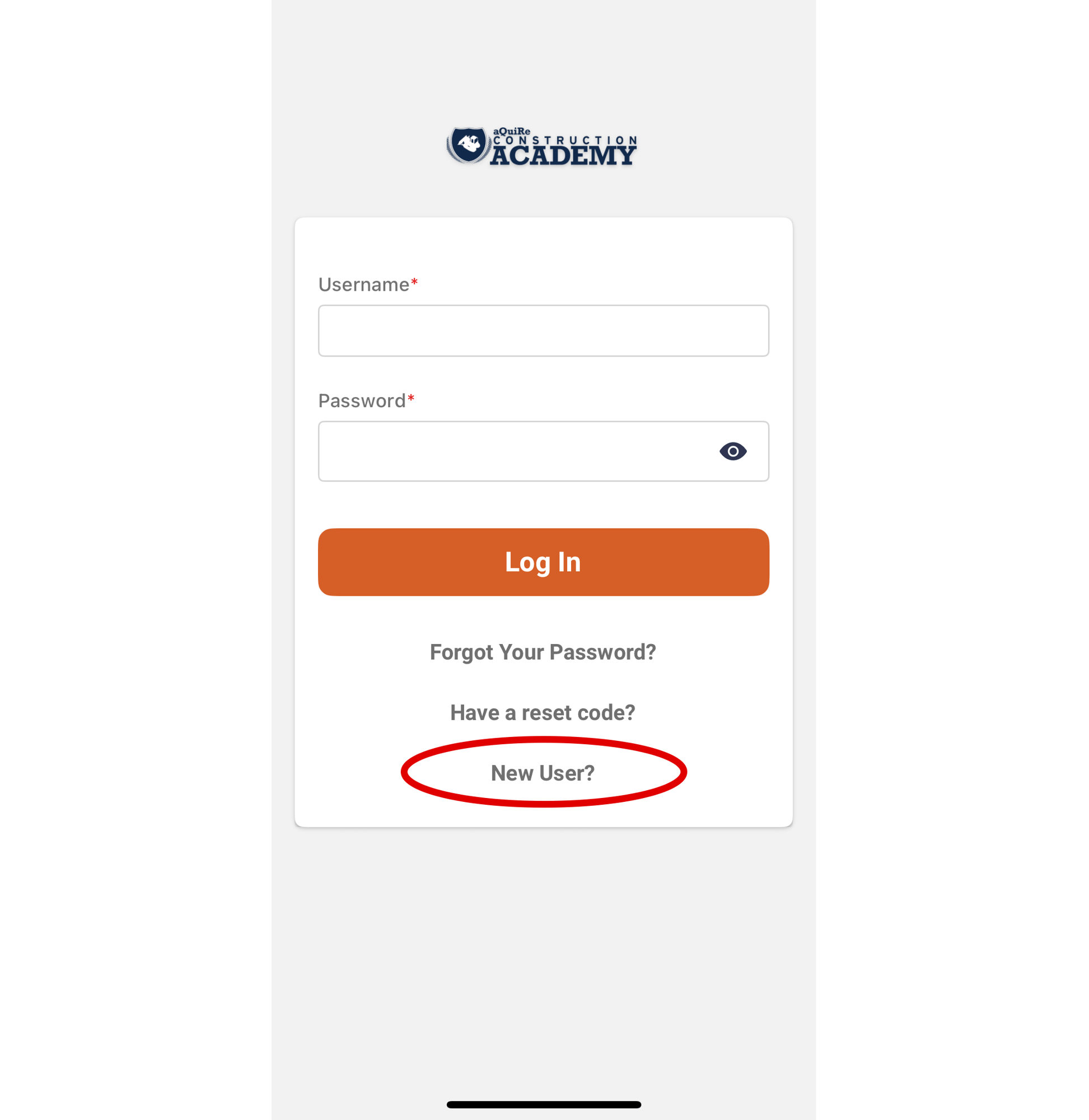
2. Once the app is downloaded, open and select “New User?”
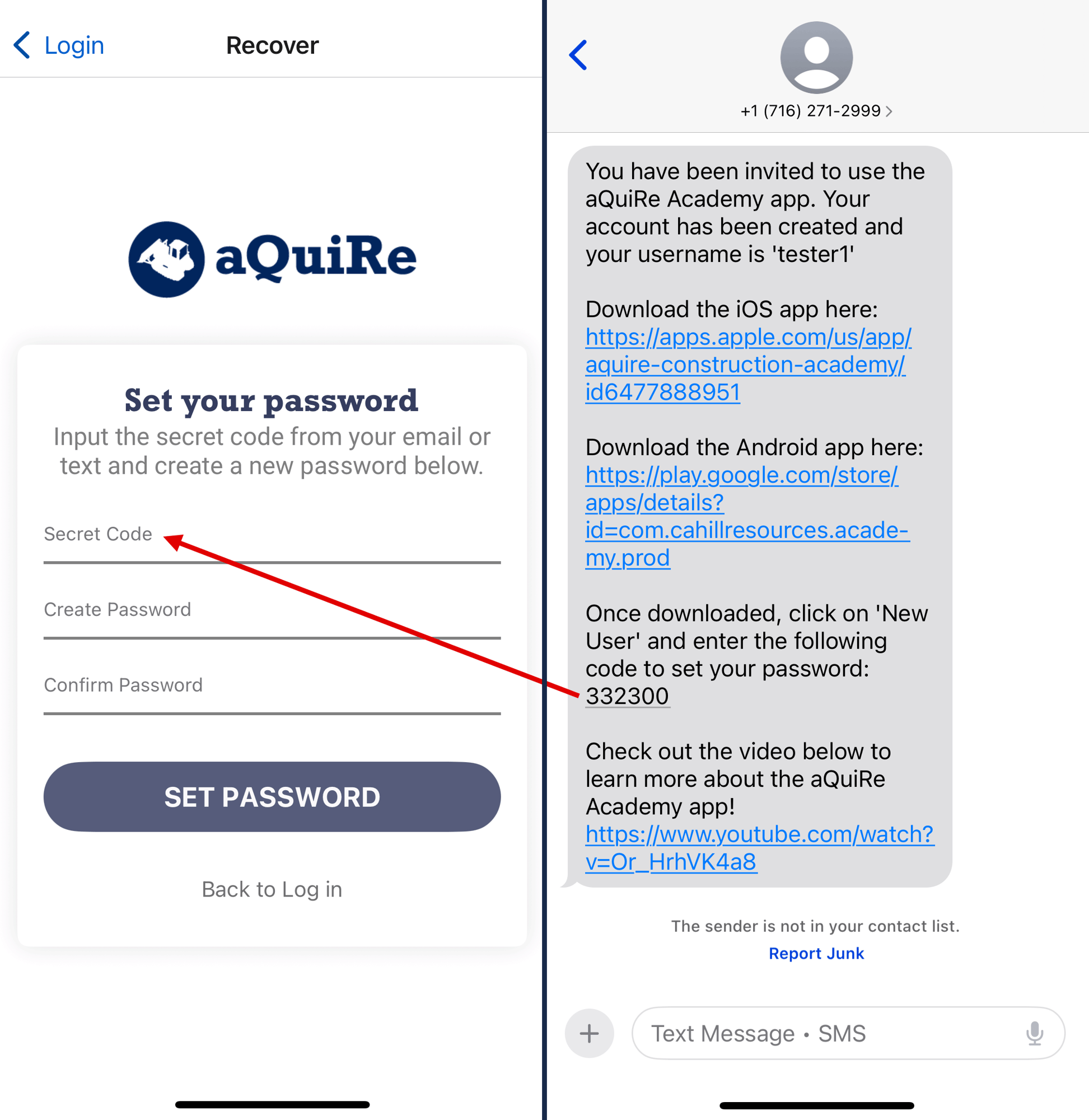
3. Enter your "Secret Code"
-
-
The Set your password screen will display in the app.
-
Find the 6-digit code in the text message and/or email invitation and copy it.
-
Enter or paste the code into the Secret Code field in the app.
-
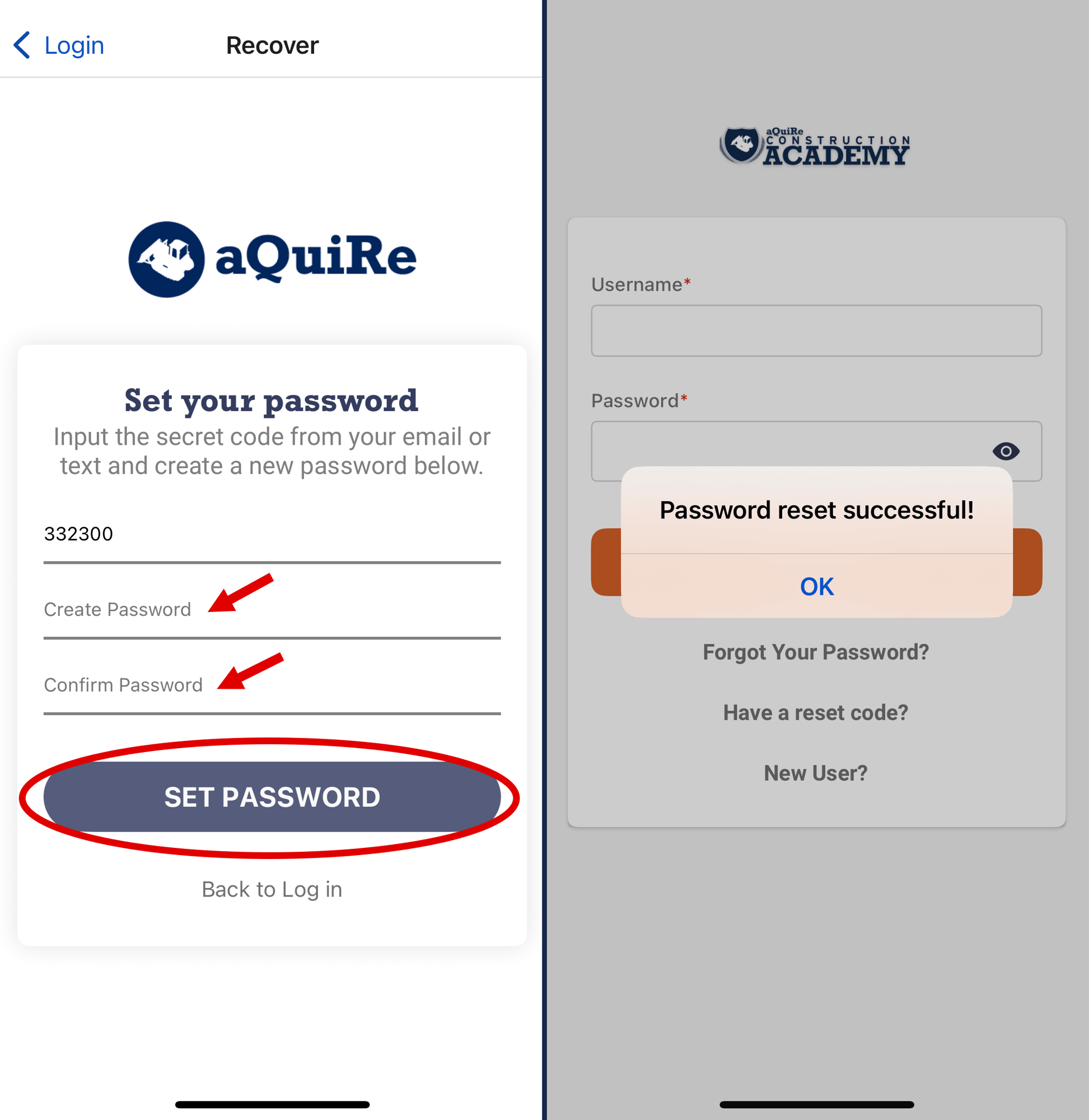
4. Create a password
-
- Type your password into the Password Recovery screen.
-
Re-enter your password to confirm it matches.
-
Press Set Password and you will see a notification that you set your password successfully.
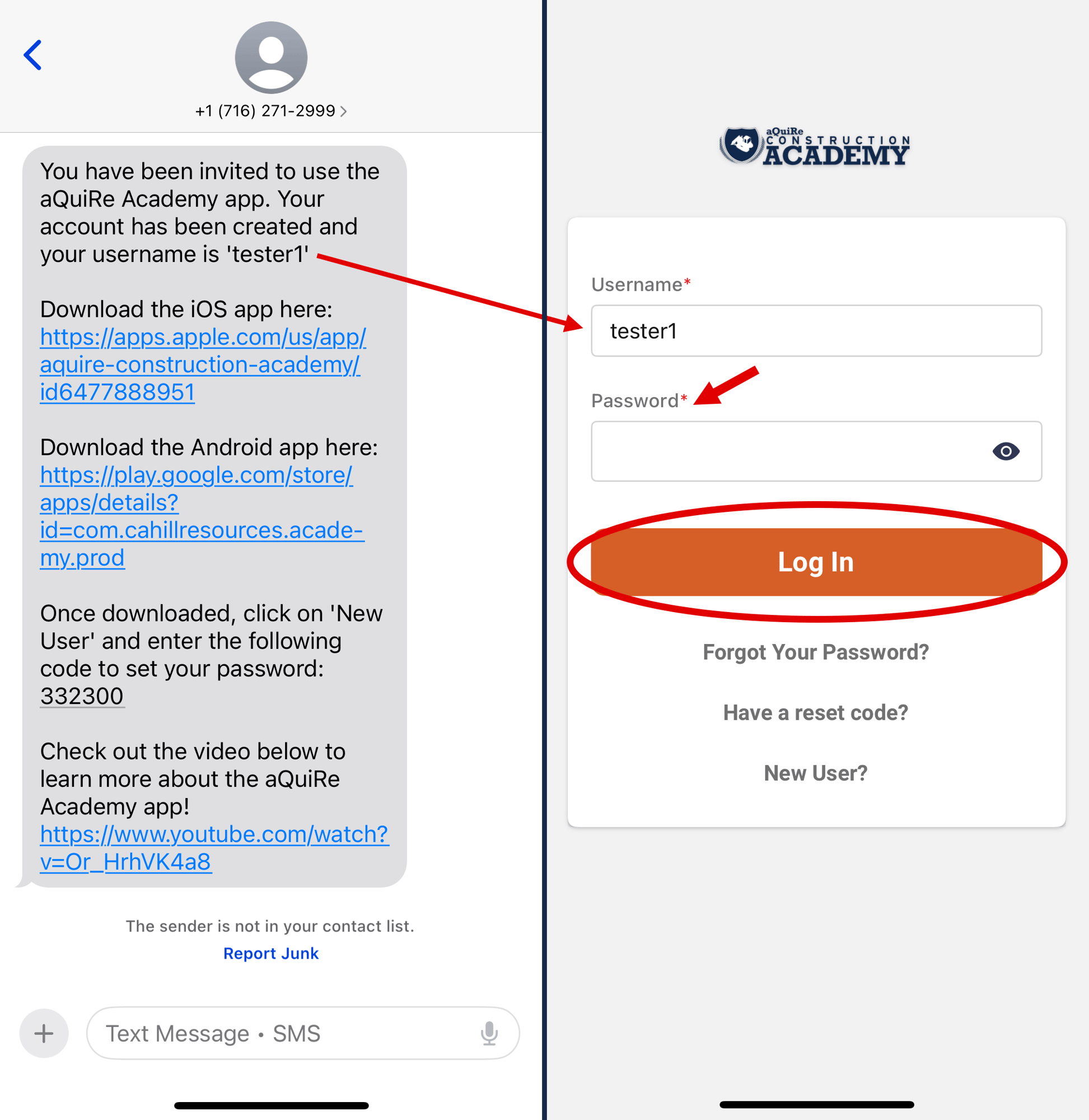
5. Log in using your username and password
-
- The main login screen will display in the app.
- Locate your username from the text message and/or email invitation and enter it in the Username field.
- Enter the password you just created in the Password field.
- Press Log In